

Worked example
Use your W-2 or payroll projection for your job and your books for the client work. Deposits from both may land in the same checking account.
Walkthrough
-
Match wages to the W-2 boxes
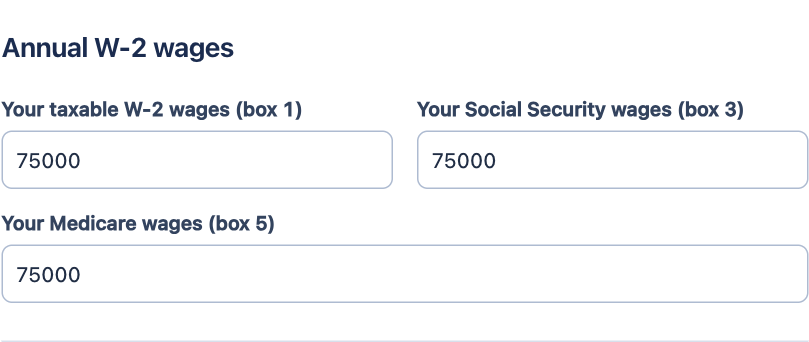
In the wages section, enter federal taxable wages from box 1, Social Security wages from box 3 and Medicare wages from box 5.
 Open full-size image ↗
The three wage fields follow W-2 box order. -
Enter client work under business income
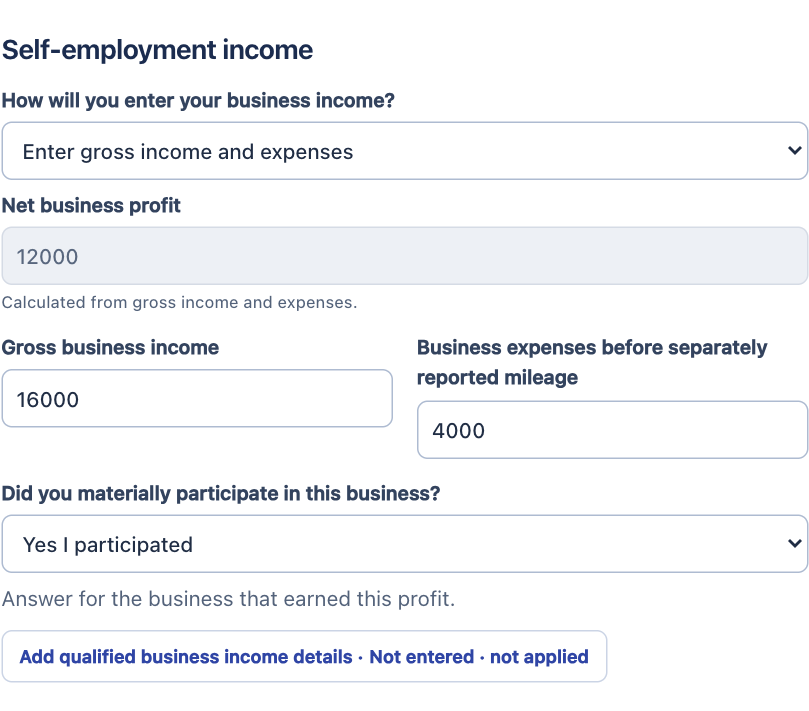
In the business section, use your net profit or enter gross receipts and expenses. For $16,000 of receipts and $4,000 of expenses, the resulting profit is $12,000.
 Open full-size image ↗
Use one business-income entry method for the same set of receipts. -
Trace the totals
Review the wage and business sections separately before continuing. A transfer between your own accounts does not create a second client payment.
This guide opens in its own tab. Close it to keep working in the tab where you started; your entries stay there.