

Worked example
Suppose your records show a June 1 change involving Canada and you also have foreign income. Have your dates, income records and country information ready.
Walkthrough
-
Open residency details
Use the residency and foreign income form from Tax profile or Income & expenses. Both entry points open the same details.
-
Record the change
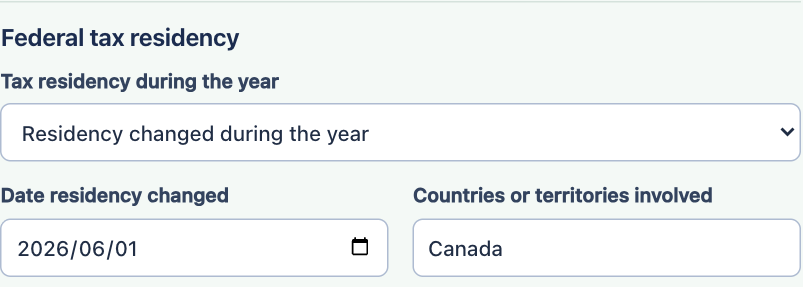
Under Tax residency during the year, choose Residency changed during the year. Enter June 1, 2026 for Date residency changed and Canada for Countries or territories involved. Use your records for any foreign income and tax paid.
 Open full-size image ↗
The residency section keeps the change date with the country or region involved. -
Read the result status
Apply the form and review each affected tax authority. If the estimate needs review, open the linked details to see what is still unresolved.
This guide opens in its own tab. Close it to keep working in the tab where you started; your entries stay there.