

Worked example
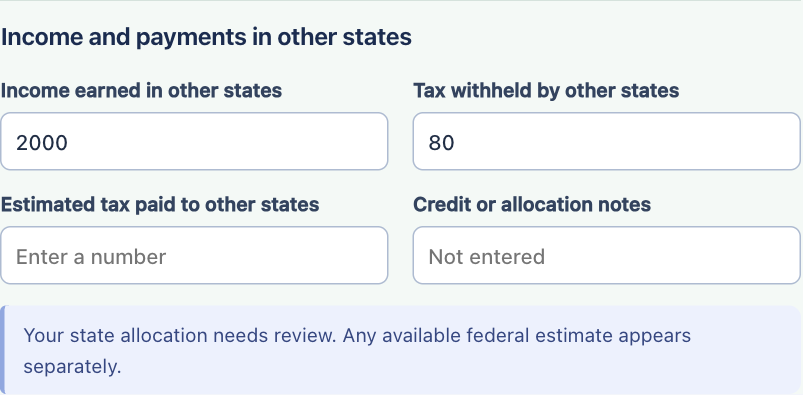
Your records show $2,000 earned in Oregon and $80 withheld there. Keep any separate estimated-payment receipts handy too.
Walkthrough
-
Check your home state
In Tax profile, check that California is selected. Under State residency during the year, select Lived or worked in multiple states. Open Multistate income & residency and enter Oregon as the other state.
-
Enter amounts by source
Enter $2,000 for out-of-state income and $80 for tax withheld. Use the estimated-payment field only for payments you actually sent.
 Open full-size image ↗
Income, withholding and estimated payments to the other state have separate fields. -
Review the state card
Apply the form and check the state card in Results. Follow any review message before relying on a state amount.
This guide opens in its own tab. Close it to keep working in the tab where you started; your entries stay there.