

Worked example
You already set aside $200 and want a cash reserve plan for the next payment. Have the expected receipt and the amount currently saved handy.
Walkthrough
-
Choose a reserve target
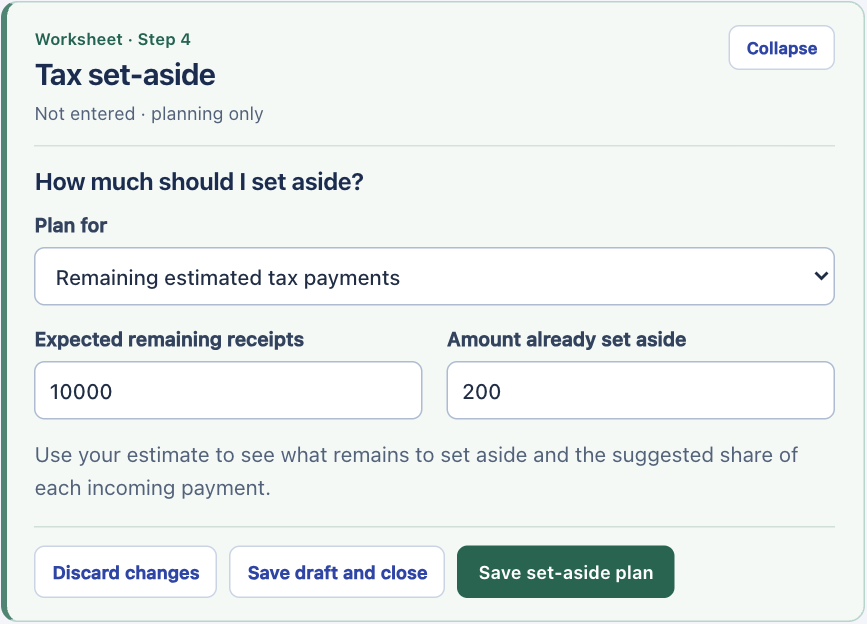
In Results, open Tax set-aside. Under Plan for, choose Remaining estimated tax payments or Estimated balance at filing, depending on what you want to save for.
-
Enter the receipt and existing reserve
Enter $10,000 in Expected remaining receipts and $200 in Amount already set aside. Check those amounts against your next invoice and the money already in your tax savings account.
 Open full-size image ↗
Incoming cash and cash already saved are entered separately. -
Save the plan
Select Save set-aside plan to keep your budget and return to Results. When you actually send a tax payment, record it in Payments, withholding & credits.
This guide opens in its own tab. Close it to keep working in the tab where you started; your entries stay there.